> ## Documentation Index
> Fetch the complete documentation index at: https://docs.encord.com/llms.txt
> Use this file to discover all available pages before exploring further.
# Upgrade Mirrored Datasets
If you are using the SDK, upgrading your Mirrored Dataset can significantly impact your upload process. After upgrading, you must update your SDK scripts to use the `StorageFolder` and `StorageItem` classes for uploading and querying data. For more information, refer to our [documentation](/sdk-documentation/index-sdk/sdk-upload-data).
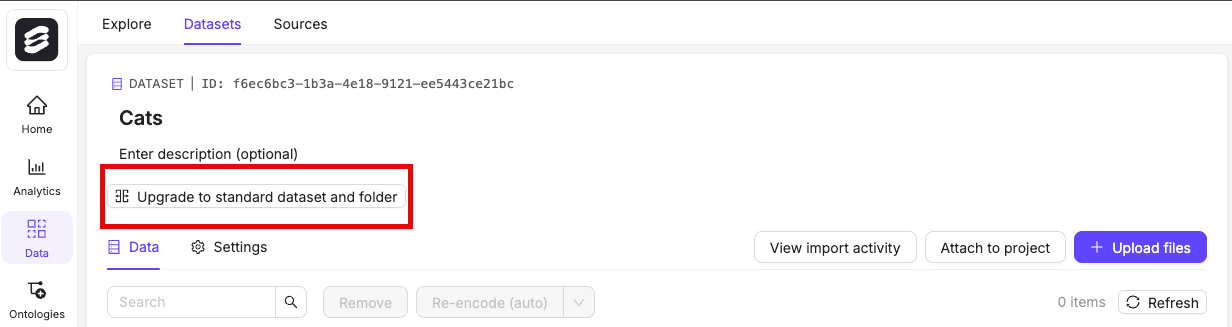
You can easily convert your [Mirrored Datasets](/platform-documentation/Annotate/annotate-datasets/annotate-datasets#mirrored-datasets) into a standard folder and a corresponding Dataset with the same name. Storing your files in a standard folder enables you to add them flexibly to multiple Datasets, and organize them into different folders.
1. Navigate to **Data** > **Datasets** in the Encord platform.
2. Select the Mirrored Dataset you want to upgrade.
3. Click the **Upgrade to standard dataset and folder** button.