

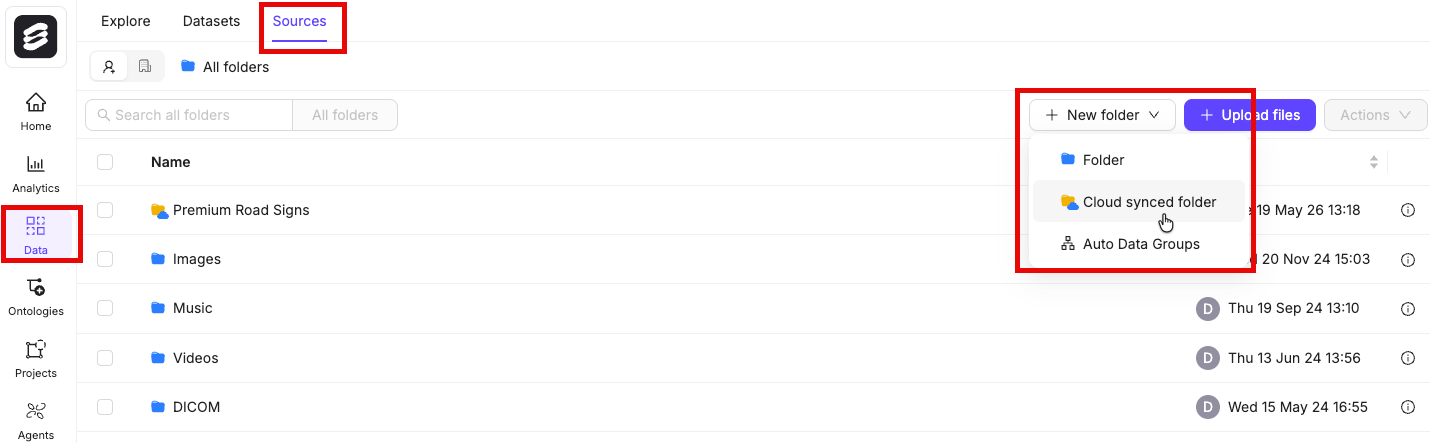
- Navigate to Data > Files & Folders
- Click the + New folder button to create a new folder. Select the type of folder you want to create.
- Give the folder a meaningful name and description.
- Click Create to create the folder. The folder is listed in Files & Folders.
Manage Folders
You can manage your folders directly from the folder navigation dropdown on the Data tab. Click the ⋯ menu next to any folder to access options such as viewing folder information and managing access permissions.These folder management options have moved from their previous location to this ⋯ menu.