

READ THIS FIRST
While not required, we strongly recommend importing a metadata schema before importing custom metadata into Encord. The process we recommend:- Import a metadata schema. If a metadata schema already exists, you can import metadata. You can run a small piece of code to verify that a metadata schema exists
- Import your custom metadata.
Performing multiple schema imports overwrites the current schema with the new schema.
Import Custom Metadata
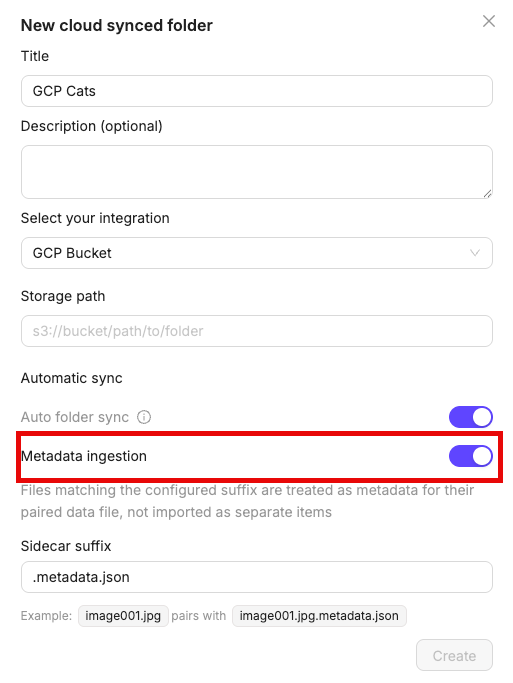
You can import custom metadata directly from your cloud storage alongside your data files. When creating a cloud-synced folder, enable the Metadata ingestion toggle and set your sidecar suffix (default is.metadata.json). Any file matching that suffix is treated as metadata for its paired data file and does not appear as a separate item in your folder.
JSON File
A JSON file is required for each file that you want custom metadata applied on. The JSON file must exist in the same folder as the file. The JSON’s format has the following requirements- The JSON file must be named as follows:
your-file.extension.metadata.json. - A valid JSON object (dict). Not an array or primitive.
- Under 10 MB (or 100 MB if your org has the large metadata files feature).